Easy to use
The hardest thing about entering the competition should be finishing the kit…
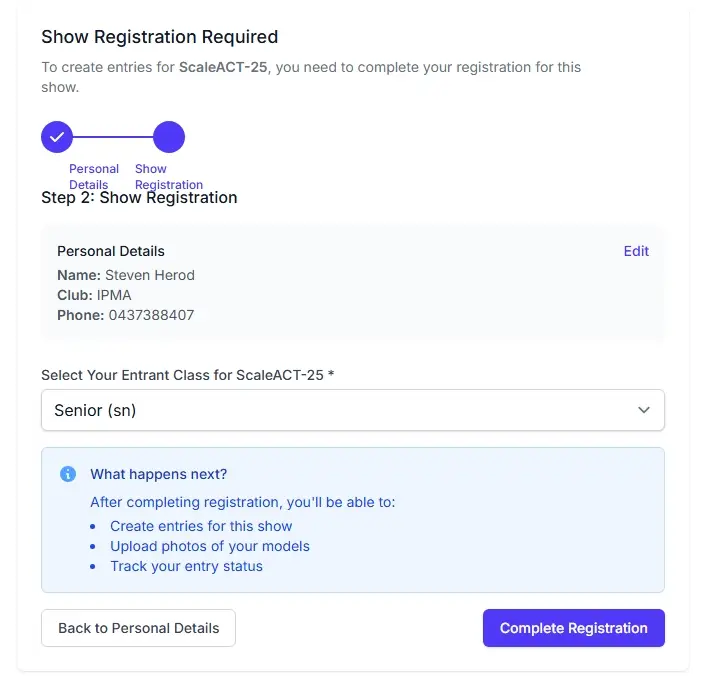
Register from any device
Anywhere you have the internet and a web browser — smartphone, tablet, computer or kiosk — you can enter and manage your entries anytime.
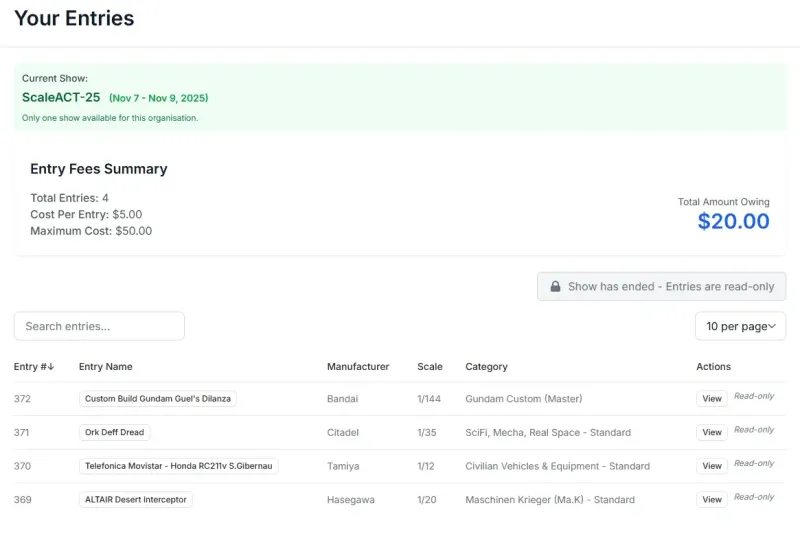
Manage your entries
Update details, upload a photo, change category or withdraw an entry until the show closes.
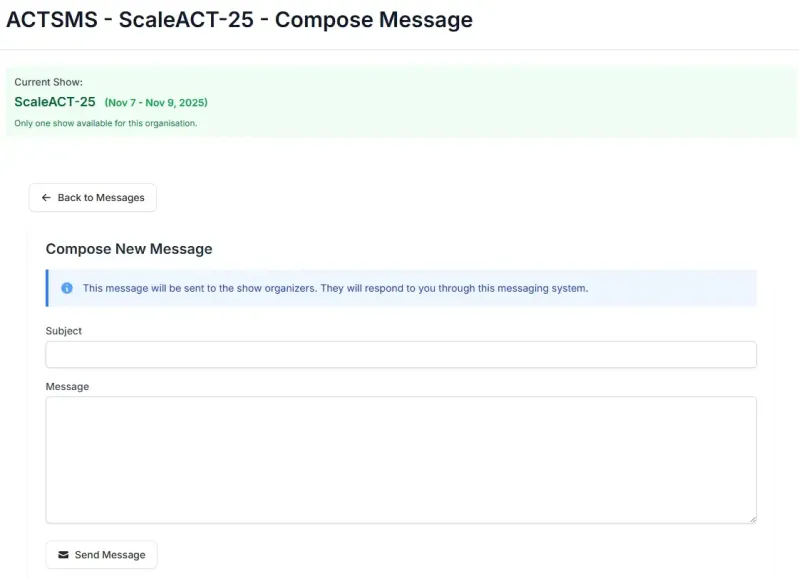
Stay in touch with the show
Message show organisers with questions and receive replies through Hobbyshow’s built-in messaging.
Get your results
Results come to you in the system, in your email inbox and through the show’s web gallery.

Sign up online
Entrants register once the entry window opens, choose their class or skill level, accept the competition rules, and choose how their name appears in published results.
Enter their models
Add the model name, kit maker, scale and a photo; choose one judged category; and receive an automatic entry number for every card, certificate and slide.
Edit their own entries
Entrants can add, change or withdraw a model until the deadline, so the desk is not fielding changes. Entries lock automatically once the show is over.
Enter opt-in trophies
Offer same-kit cups, themed challenges and sponsored prizes as a tick-box. A model can compete in its category and several trophies at once.
Know the cost up front
Published entry fees can be a flat fee per model or volume bands, with any capped maximum visible before anyone commits.
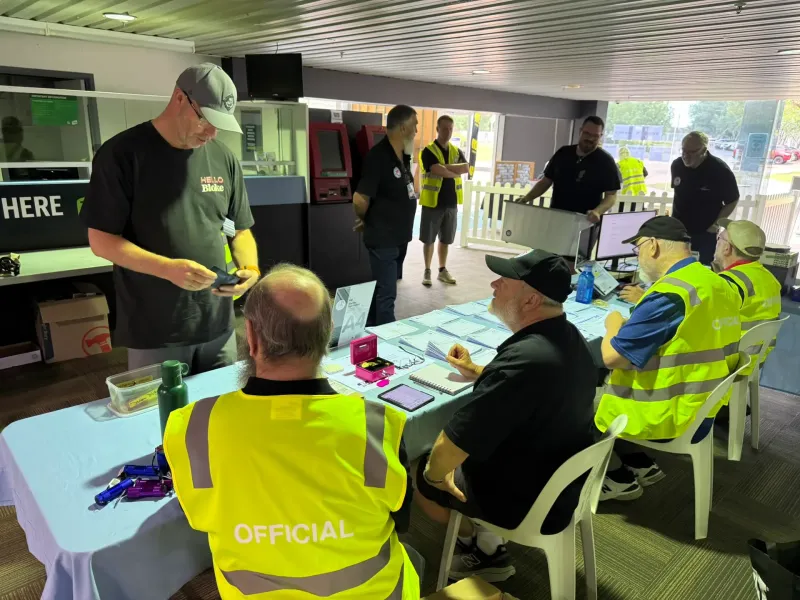
Walk up on the day
A self-service kiosk lets visitors register and add models at the venue, then clears between people so entries arrive like any other.
Talk to organisers
Questions and answers stay with the show: entrants message organisers, and organisers can reply or write to anyone.
Answer your questions
Use short yes/no surveys such as dinner attendance or photo permission, with one survey able to be compulsory at registration.
Vote for a favourite
Public voting works from any phone for a people’s choice award, with online and paper ballots able to be counted together.
Find out what they won
Publish results to the show website, send personal emails to opted-in entrants, and share QR posters for table-side lookups.
Feedback & kit sales
Entrants can receive written judge feedback where offered. The optional kit table supports seller listings, desk sales, show commission and seller statements.